When booking online, you can redeem your Gift Card on the payment page - just look out for the gift card box as pictured below (it’s separate from the Guest Pass box you’ll see earlier in the booking journey).
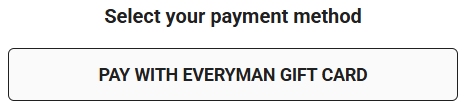
Simply click on the box and enter your Gift Card number and PIN, which can be found beneath the scratch-off panel on the reverse of a physical card, or just below the number on an eGift. Both details are required to complete your redemption.
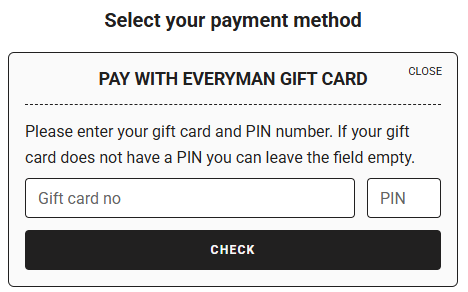
Once your gift card has been accepted, you'll need to click "apply" to deduct its balance from your booking.
Gift Cards and eGifts can be used towards part‑payment, giving you flexibility at checkout. Please note, only one Gift Card or eGift can be used per transaction, and any remaining balance will stay on the card, ready for your next visit up until its expiry.
Was this article helpful?
That’s Great!
Thank you for your feedback
Sorry! We couldn't be helpful
Thank you for your feedback
Feedback sent
We appreciate your effort and will try to fix the article